The second brain that reads itself
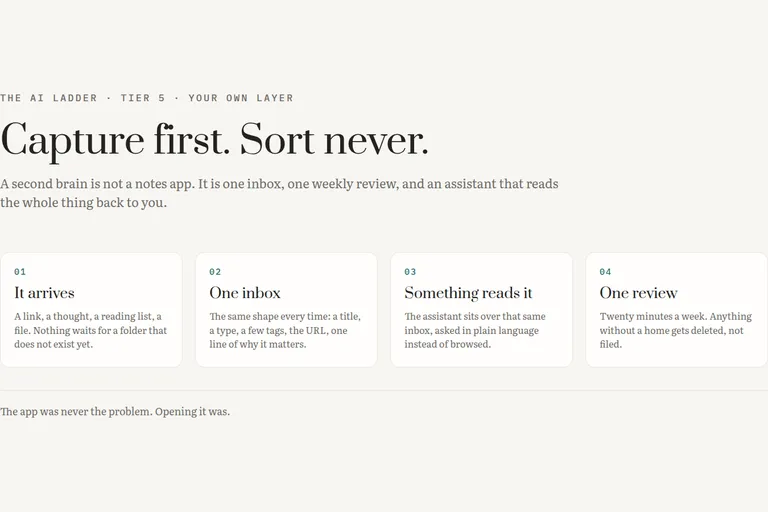
The ladder in this series runs in five steps: ask something, let it know you, let it see your work, let it act, then build your own layer. This is the fifth step, your own layer, and it is the only tier nobody can sell you. There is no product called your own layer. There is a habit, a place the habit puts things, and a decision about what your assistant is allowed to read.
Let me state the premise plainly, because I believed the opposite for years. The app was never the problem. Not Evernote, not Notion, not the folder of text files, not the one with the graph view. Every system I abandoned, I abandoned for the same reason, and features had nothing to do with it.
[ fig. Tier 5, the notes half: the places a captured thing can land, as marks. ]
Why the app was never the problem
I have started a notes system more times than I have finished one. Each time I began by choosing the tool, which felt like the serious decision, and each time what killed it was much smaller: the seconds between finding something worth keeping and having it kept.
Capture has to be cheaper than the thought of capturing. If saving a link requires me to decide which folder it belongs in, I will not save it, because at the moment I find it I do not yet know what it is for. That is the whole trap. Filing is a judgement about the future, made at the one moment I have the least information.
So the rule I run now is blunt: capture first, sort never. Everything goes into one place, unsorted, with the smallest possible amount of typing. No hierarchy, no decision, no folder.
For most of the time I have been making notes, that rule would have been terrible advice. An unsorted pile is a landfill, and the reason people sort is that search over their own writing used to be worse than memory. What changed is not the notes app. What changed is that something can now read the pile and answer a question about it in ordinary language. The pile became a corpus.
That is the sentence this whole tier rests on. A note is not knowledge until something reads it back. For years the only reader was me, so the pile had to be pre-organised for my benefit. The new reader is patient and indifferent to mess, and organising for it means something different: fewer fields, honest summaries, one place to look.
Obsidian or Notion, decided by how you work
Feature comparisons will not help you, because both are good and the real difference is one line. Obsidian stores plain markdown files in a folder you own. Notion stores rows in a database someone else hosts. Everything that matters follows from that, including which one you will still be using in three years.
Obsidian. Who it is for: anyone who wants their notes to be files, because files survive companies. What it costs: free for personal use, with paid add-ons if you want its own sync and publishing, and a commercial licence if it is doing work for your employer. What it cannot do: be a database. Structured questions across hundreds of entries are awkward, real shared editing is not its strength, and every bit of structure you want is a convention you have to keep by hand. What I actually use it for: less than I expected, and for one thing I would not give up. It holds the writing I would want if every subscription I pay for lapsed tomorrow, as plain files in a folder that syncs like any other folder. It is the archive with no landlord.
Notion. Who it is for: anyone who thinks in tables, and anyone whose notes need to be shared with a person who does not care what markdown is. What it costs: a free personal plan that is more than enough for one database, with paid tiers for teams and for its own assistant features. What it cannot do: be trusted offline, be fast to open, or be plain text. The store is not yours, and that is not a detail: an export is a copy, not the original. What I actually use it for: my entire second brain, which is a single database and nothing else.
So the decision is not a feature table. It is one question about yourself: which of these will you open in the three seconds after you find something worth keeping? I run both, and the split is honest. Notion is where the habit lives, because capture there costs one tap. Obsidian holds the things I wrote myself, because I do not want my own sentences inside someone's product.
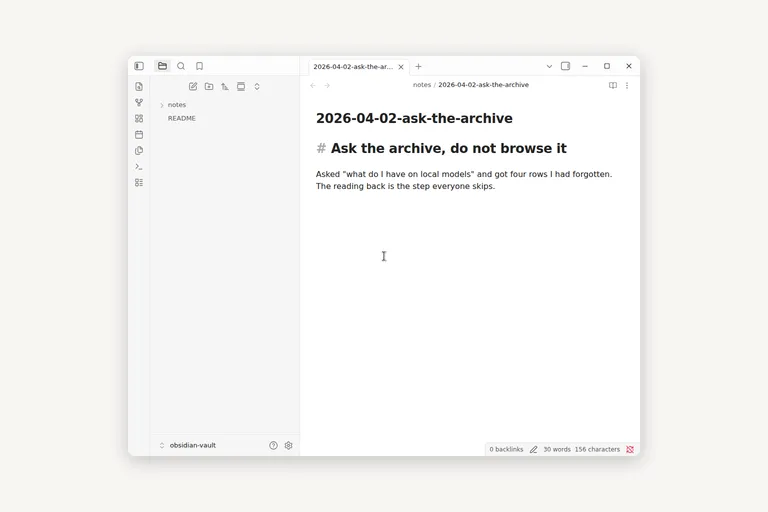
[ fig. A vault on this machine, opened for this piece: the note in the editor is a plain markdown file in a folder I own. ]
One inbox, one review, one rule
My second brain is one Notion database. Not a workspace, not a set of linked pages. One table, and every row has a title, a type, tags, the URL, a one-line summary, and the date I captured it. That is it. Anything I forward into a chat gets saved as a row, which is the only automation I insist on, because forwarding something into a chat is already an admission that I thought it mattered.
The one-line summary is the field that does all the work, and the only thing I write by hand at capture time. A title and a URL make a bookmark. One sentence about why I saved it makes a note, and that is the sentence read back to me a year later when the title has stopped meaning anything. Sometimes I let the assistant write it and I fix it. An imperfect sentence beats an empty field.
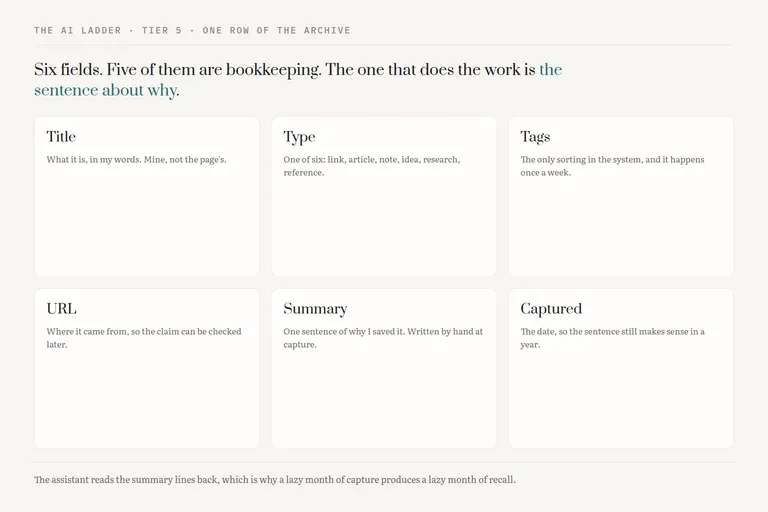
[ fig. Six fields, and five of them are bookkeeping. The sentence about why is the field the assistant reads back. ]
The weekly review is the only sorting that happens anywhere in my setup. It is short, because it has exactly two verbs: delete, and tag. I go down the new rows, remove the ones I no longer recognise as useful, and put a tag on the rest. I do not move anything, because there is nowhere to move it to. If a review takes longer than the time it takes to drink a coffee, the system has grown a field it does not need.
And one rule for what earns a place: would I go looking for this again? If no, it gets no row, and the discipline is in saying no often. The harder half of the rule is the one people skip. If I would go looking for it but could find it again in a few seconds with a search engine, it also gets no row. What earns a place in your own archive is the thing that is hard to find twice: the specific number, the post that changed your mind, the decision you made and the reason you made it.
Giving the assistant access, which is three amounts of trust
Here is the part that makes this tier five rather than tier two. Your assistant can reach your notes in three ways: a page you paste, a folder it can read, or a connection it can query. Those are not three features. They are three amounts of trust, and they should be adopted in that order.
A page you paste. No setup, no permission, works with every tool in the ladder including the free chat box. Its limit is not quality, it is that you are still the retrieval system. You had to know which page to paste, and that is precisely the help you wanted.
A folder it can read. Point a command line agent or a desktop app at a folder of markdown and ask it a question. It reads, it greps, it answers about things you had forgotten you wrote. This is where Obsidian's plain-files decision pays off: nothing has to translate a folder of markdown first. The trust is bounded but real, because it reads everything in there, including the note you forgot was in there.
A connection it can query. A live connector into the database, so the assistant answers from its current state without you exporting anything. Highest leverage by a distance, and the one I think about hardest, because it is a credential held by a company and it outlasts my attention. I grant read where read is enough, and I would rather paste a page than hand out write access to the only copy of something.
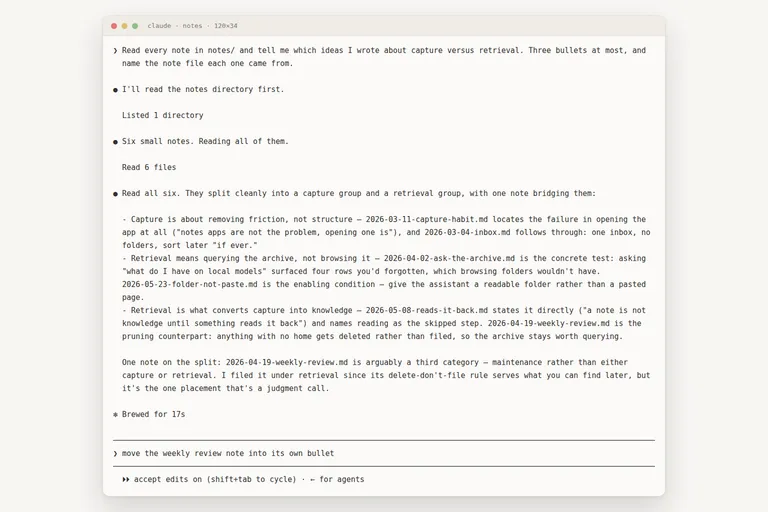
[ fig. A real session, captured while writing this piece: a folder it can read, and an answer that names its sources so I can check one. ]
Asking your own archive questions
I do not browse my notes. I ask them things, in the plainest language I have, and the queries that work are not the ones I expected.
"What do I have on local models?" is the everyday one, and back comes a handful of rows with their summary lines, enough to remember why each is there. "I saved something about pricing a few months ago, I think it was a blog post, find it" is the query folders cannot serve at all, and the one that justifies the whole setup: half-remembered, wrongly dated, still findable. "Summarize what I captured this month and tell me what I kept coming back to" surprised me, because it named a theme I had not noticed I was circling.
The one I now use deliberately is harsher: "of the things I saved about this, which did I never resolve?" An archive records your open questions as much as your answers, and nothing else in my setup will tell me that.
Two honest cautions. The answers are only as good as the summary lines, so a lazy month of capture produces a lazy month of recall. And it will occasionally tell you confidently about a note that does not exist. Ask for the titles, not just the conclusion, and click one.
The failure mode
I have built the graveyard, more than once, so I know exactly what it looks like. Hundreds of rows. A structure I was proud of. Nothing read in months. A notes system in that state is not neutral, it is a place where guilt is stored, and opening it feels like opening a drawer you already know is full.
It happens in one order, and the order is the cruel part. The review lapses first, usually during a bad week. Capture does not lapse, because capture is easy and slightly satisfying. So the pile keeps growing while the only step that gave it shape has quietly stopped, and by the time you look the backlog is a project rather than a habit.
The fix is never a better app. It is cutting the system down until the review survives a bad week: fewer fields, one inbox, one rule. Tier five is paid for in maintenance, and the only defence is to build so little that there is nothing to keep up with. If you would not notice this breaking, do not build it.
Start with the smallest version that is still real. One table, six fields, one sentence per row, one rule about what earns a place. Then ask it something you half remember, and see whether the answer comes back. If it does, you have the thing this tier is for, and it cost a week of paying attention rather than a weekend of building. Everything in this series is filed under The AI ladder. Next: the chores that run without you, then what in all of this is actually worth paying for.