Claude, end to end
Most of the articles in this series take one tier of the ladder and stop there. This one does not, because Claude is the only stack I use where one provider covers all five tiers: the chat box, the assistant that knows your projects, the surface that reads your files, the agent that acts, and the layer you build for yourself on top.
The five tiers run: ask something, let it know you, let it see your work, let it act, then build your own layer. Claude covers all five, but not evenly and not for the same money. This is the Claude branch of the series, tiers 2 to 5, and the closest thing in this ladder to a single account that reaches the whole way up.
[ fig. Tier 2 to tier 5: the surfaces this piece walks through. ]
Why the writing is the first thing people notice
I get asked some version of this question more than any other: why does Claude feel different to talk to? The honest answer is that the differences are smaller than the reputation suggests, and real in one place. It holds a longer argument without losing the thread, and it disagrees with you in a way that reads as an opinion rather than a hedge. If what you want from an assistant is a first draft that sounds like a person wrote it, that is the difference you are paying for.
Two things shape how it behaves, and both are worth ten minutes.
Projects. One project per ongoing thing, the same idea as ChatGPT's, and the reason it works is the same: the material stops being pasted and starts being there. Instructions, files, and a separate history per project, with no limit on how many you keep.
Styles, and the response settings behind them. You write the way you want answers to come back, and it applies to everything in that project rather than to one conversation. Most people leave this alone and then complain that every answer sounds the same.
Who it is for: anyone who writes for a living, or writes in their own name. Cost: nothing to try, and the paid tier is where the volume is. What it cannot do: hold a long argument forever on the free plan, or be equally good at everything; it is a writing tool first and a search engine second. What I use it for: the first draft of anything I have to argue rather than state.
Artifacts: the chat that leaves something behind
An artifact is what happens when the answer is not text. Ask for a small calculator, a checklist that keeps its state, a chart built from a table, a one page dashboard, and Claude writes it as a working page beside the conversation instead of describing it to you. You keep editing it in the same chat. Claude Code can publish the same kind of thing out of a session, as a live page on a private link.
This is the feature I would show someone who still thinks a chatbot is a better search box. It is the moment a conversation stops producing paragraphs and starts producing a tool.
Who it is for: anyone who has ever asked for a spreadsheet and got a paragraph about one. Cost: it is on the free plan, which surprised me when I checked the feature table. What it cannot do: be deployed. It lives in your account, it is not a website, and it is not a replacement for a real application. What I use it for: small things I would otherwise write by hand, and explaining an idea to someone by handing them something they can click.
The desktop app, and the files
The desktop app is where this stack stops being a browser tab. It puts chat, file access and Claude Code in one window, and it is the surface that can reach what is actually on your machine.
The newest thing here is Cowork, and it has a different shape from the chat: you describe a piece of office work, a deck, a document, a spreadsheet, and it runs as a task that keeps going while you do something else, then hands you the result to review. It reaches local files and your browser through the desktop app, and the same session follows you to the web and the phone. I have not used it enough to recommend it, and the automation piece is the right place to judge it. What I can say is that it exists, it is part of the paid plan, and it is the first thing I have seen from this company that assumes the assistant is doing work rather than answering questions.
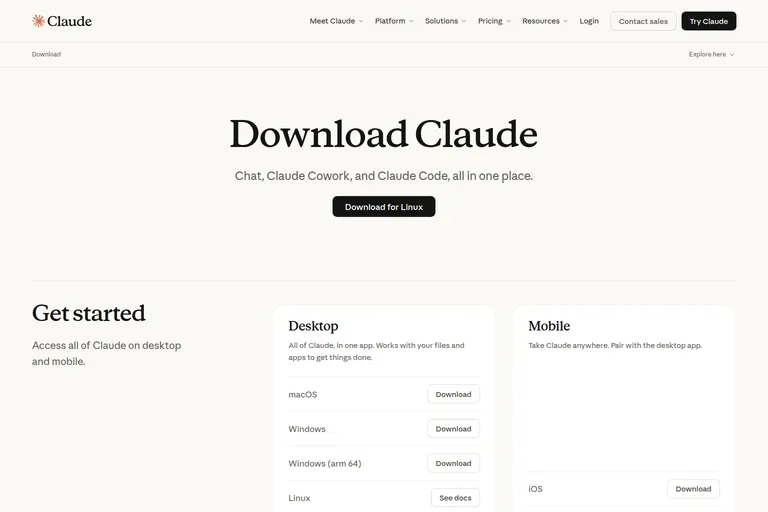
[ fig. Screenshot: claude.com/download ]
The app itself is the least interesting surface in this article and the one I use constantly. Reading a PDF with the file sitting next to the conversation, dropping a screenshot in instead of describing it, keeping the same chat open all day. Who it is for: people who work on a computer all day. Cost: free to install, and the useful volume is paid. What it cannot do: be invisible, and it asks for more access to your machine than a web page ever will. What I use it for: everything I would otherwise copy and paste into a browser.
Claude Code, which is the centre of this piece
If you read one section of this article, read this one. Claude Code is the tier where the assistant stops being something you talk to and becomes something that works: it reads your files, runs commands, makes changes, and shows you what it did.
It runs in a terminal, in several editors, in the web app, in Slack, on the phone, and in GitHub. That is a lot of doors for one tool, and the honest way to describe it is that the terminal is the real room and everything else is a way in.
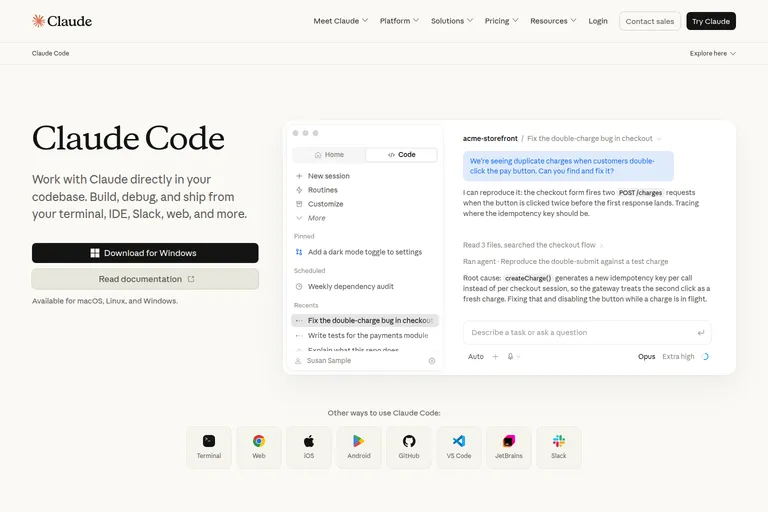
[ fig. Screenshot: claude.com/product/claude-code ]
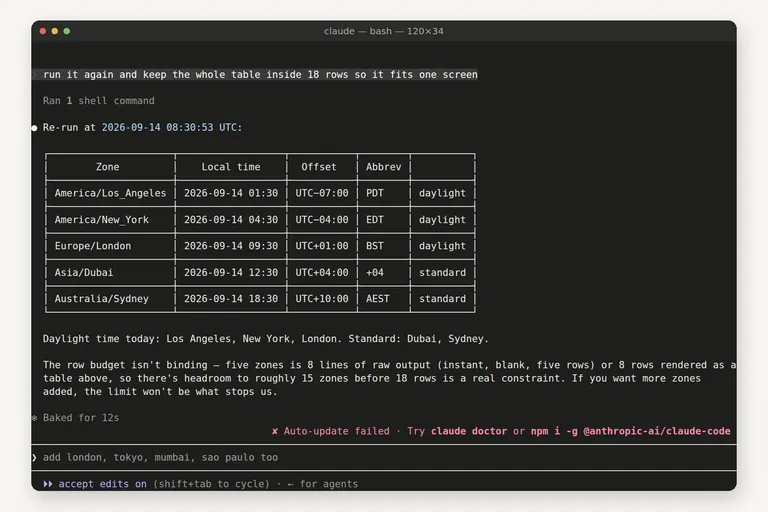
Here is a session I ran while writing this, in a directory that had existed for twenty minutes. I asked it to find out why a small script died, fix it so the caller could pass a real timezone, and prove the fix. It read the file, found the bug, made the change, ran it, and reported the result with the offsets its own fix produced. Then I asked for a test, and it noticed pytest was not installed, chose the standard library instead, wrote the test, and ran it.
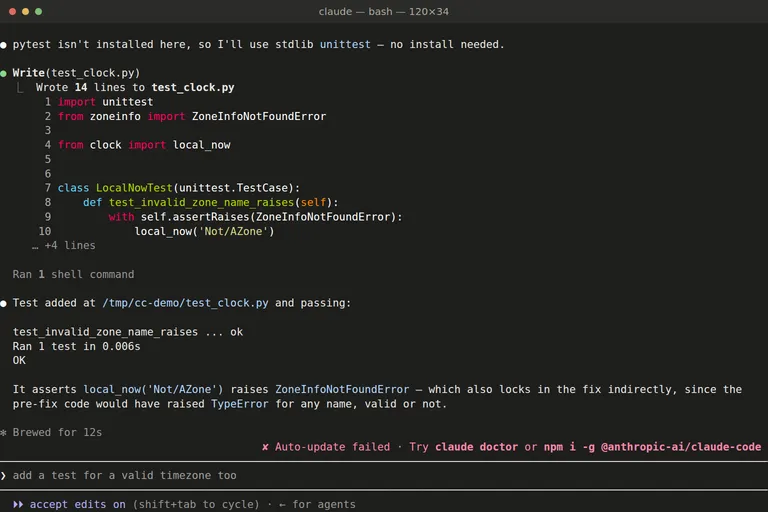
[ fig. Claude Code writing and running a test, captured while writing this piece. ]
The second session is the shape I actually use it for. I handed it a messy sensor export and one sentence about what readers keep doing by hand. It wrote the converter, ran it, checked its own output, then went looking for the edge cases it had claimed to handle and tested those too. It also told me something I had not asked about: the export mixes units, and it had refused to normalise them, because guessing a target scale would have been inventing a decision.
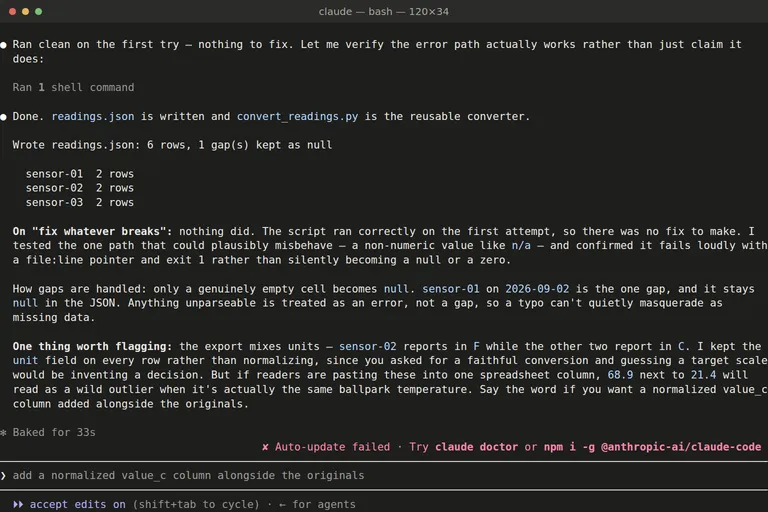
[ fig. Claude Code converting a messy export, captured while writing this piece. ]
That second figure is the argument of this whole ladder. A chat bot gives you the converter script. An agent gives you the converter script, the run, the test, and the two problems you did not know you had.
Who it is for: anyone whose work happens in files. Cost: it is included from the Pro plan up, and it draws on the same usage pool as the chat, so a long session moves the limit you will notice later. What it cannot do: know when it is wrong. It reports what it did, and reading that report is your job. What I use it for: small, boring, well defined work that is faster to describe than to do, which turns out to be most of my week.
Two habits keep this safe, and neither is technical. Read the plan before it changes anything, and read the change before you keep it. Approvals are on by default, and the settings file in a project is where you write down what it may do without asking. Keep that list short. It is the same list you would hand a new colleague, and for the same reason.
Skills, hooks and connections, in plain language
Three more words that will show up in whatever you read next, explained simply and left there, because the terminal piece is where they belong.
Skills are procedures written down once. A folder with a name and a set of instructions, and the agent picks it up when the task matches. That is the difference between explaining your house style every week and having written it down once.
Hooks are things that happen automatically at set points, like a check that runs before a change is accepted. The point is that the discipline stops depending on you remembering it.
Connections, which Anthropic calls MCP, are how the model reaches other applications: the notes app, the calendar, the repository, the database. This is where a ladder turns into a system, and it is also the tier where the honest answer is that access is a decision you make deliberately rather than a feature you switch on.
If you remember one thing from this section, let it be this: all three move a rule out of your head and into the setup. None of them makes the model smarter.
What it costs, and what frustrates me
Free, Pro, Max, then the team and enterprise shelf above them. Pro is about twenty dollars a month and it is the plan that matters, because it is the one that includes Claude Code and Cowork. Max starts at a hundred and you buy it for volume, not for better answers. Prices in this industry move every few months, so check the page rather than a blog post, this one included.
What I would tell a friend: stay on free until you hit a wall, and expect the wall to be usage rather than capability. The free plan is genuinely good now, and it already includes artifacts and skills.
What frustrates me, honestly.
1. The plan names do not tell you what you get. The feature table is the only place that says projects and Research are paid while artifacts and skills are not.
2. Claude Code is the best thing here and it is nearly invisible in the marketing. There is still a version of this product that people think is a chat window.
3. The approvals. The right default for safety, and still the thing that interrupts the flow most often.
4. Cowork arrived as a new surface rather than a mode, so there is one more thing to learn and no obvious rule for when to use it instead of the chat.
5. One account, one usage pool. Run a long agent session and the chat limit moves with it. That is fair, and it still annoys me when it happens at four in the afternoon.
The honest summary
Claude is the stack I would hand someone who asked me where the ceiling is. It is not the cheapest way to chat, and the free tiers of its competitors are better value at tier 1. What it is, is the only one of these providers that goes all the way up without changing company: the same account writes a draft, reads your files, publishes a small working page, and runs an agent in your terminal that changes your code and tells you what it changed.
Start on the free plan, with one project. Then spend the twenty dollars for one month and give Claude Code a real folder. That is the whole ladder inside one subscription, and it is the reason this series has a Claude article at all.
Everything in this series is filed under The AI ladder. Next: the desktop editors, then running a model on your own machine.
More in the series
- From a chat box to a second brain: choosing your approach to AI
- Google's stack: what's actually in it
- ChatGPT like a pro
- Claude, end to end reading
- Desktop apps and editors
- Command Line Interface agents
- Running a model on your own machine
- The second brain that reads itself
- Automation: agents that run without you
- What's worth paying for