Desktop apps and editors
Tier three of this ladder changes the most and looks the least dramatic. The assistant still cannot do anything on its own. And yet everything is different, because it is reading the work now rather than your description of the work. That is the whole jump: from a model that answers questions about a project to a model that opens the project.
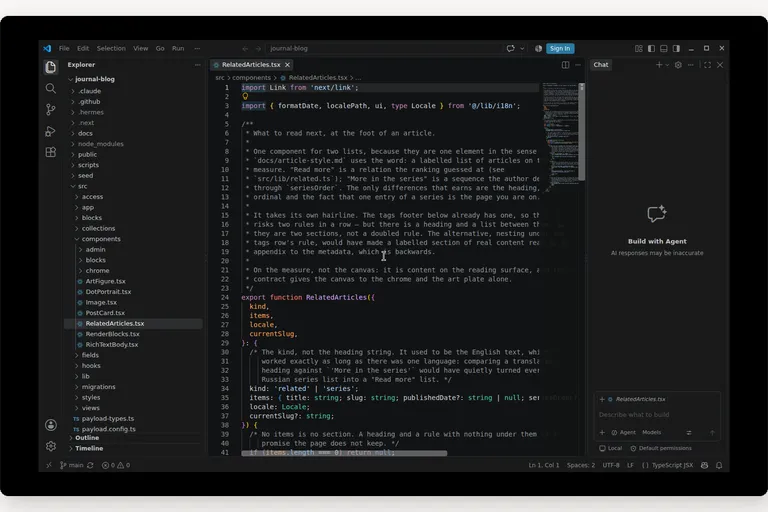
Everything below is tier three, the tier where the assistant sees your files. It is the first tier that asks you to install something, and for most people it is the first tier worth paying for.
[ fig. Tier 3: the field, as marks. ]
What an editor agent actually does
Take the chat box away and put the assistant inside the program you already work in. That is the whole idea, and it is worth stating plainly because the marketing around it is not.
Instead of copying a function into a chat window and pasting the answer back, you describe what you want in the place where the code lives. The assistant opens the files it needs, writes the change, and shows you a diff: the old lines, the new lines, and the changed ones marked. You accept it, or you reject it, line by line if you want to. Nothing about your ability changes. What changes is that you stop being the messenger between two windows, which is most of what using an assistant used to be.
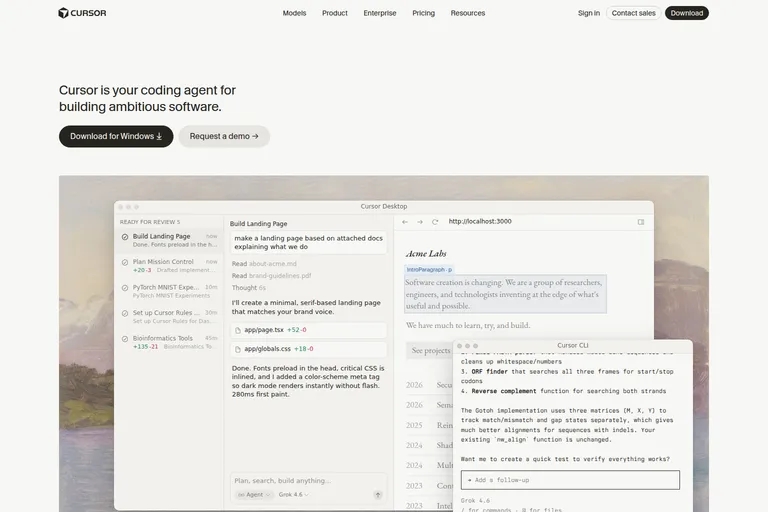
[ fig. Screenshot: cursor.com — the interface shown is Cursor's own artwork. ]
Cursor, walked through
When someone asks me which one to try first, I say Cursor, and the reason is that it makes the loop visible. The loop has four steps: ask, plan, review, accept.
The capture above is the shape of it. On the left, a list of tasks, with the ones finished and waiting for you at the top. In the middle, the conversation, with the files it touched and how many lines went in and out of each. On the right, the thing it built, running, so the review is not a diff you squint at but a page you can click. Cursor added the third panel and that is the part worth copying: reviewing work is easier when you can use it.
Who it is for: anyone who writes code all day and has already decided that a model belongs in the editor. Cost: there is a free tier, a paid plan around twenty dollars a month, and higher tiers for volume; check the page, these move. What it cannot do: be judged from a screenshot, because the differences between the editors in this article are smaller than their marketing suggests, and the real question is which loop you will actually keep using. What I use it for: the work I can describe in a sentence and cannot be bothered to type: a form, a test, a refactor across five files.
The field
Four more editors matter, and they are worth two minutes each rather than a two-week trial.
Devin Desktop, which was called Windsurf until June 2026, when Cognition bought it and renamed it without changing much underneath. Same VS Code base, same Cascade agent. The interesting part is not the editor: it is that the same company sells Devin, a cloud agent, and the two are converging into one place where several agents run at once. Who it is for: people who want more than one agent working at the same time. Cost: a free tier and a paid plan. What it cannot do: hold still. It has changed owner and name inside a year, which is a real risk when the tool holds your project. What I use it for: nothing yet. I am watching it.
Zed is the fast one, written from scratch rather than built on the browser stack the others share, and you feel that every time it opens. Who it is for: people who notice speed. Cost: the editor is free and open source, the AI features are a paid plan. What it cannot do: match the ecosystem, because extensions and integrations are where the established editors win and that is not a race you win by being quick. What I use it for: reading and editing large files, where the others make me wait.
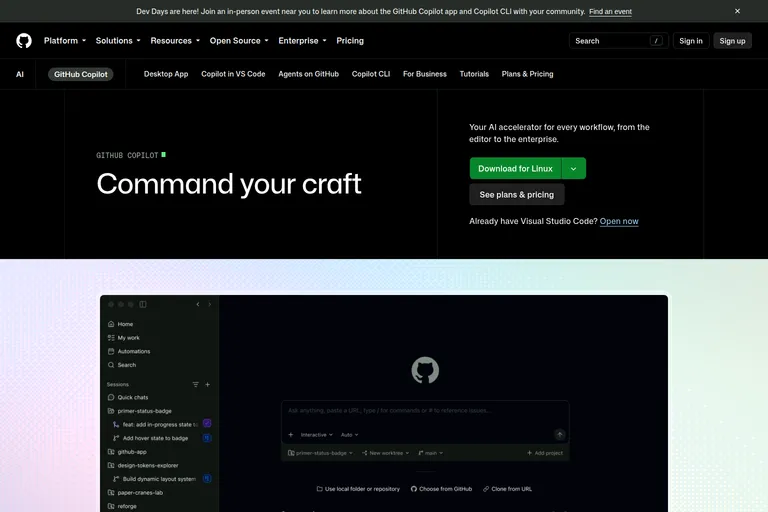
[ fig. Screenshot: github.com/features/copilot — the window shown is GitHub's own artwork. ]
VS Code is the one to look at if you already use it, which most people do. The agent lives in the chat panel, and there are three modes worth knowing by name: Ask reads and answers, Edit changes what you selected, Agent works on its own until it has something to show you. Copilot adds the code review pass, and next edit suggestions, which is tab completion grown up. Who it is for: anyone whose team already lives in VS Code, because the least disruptive tool is usually the right one. Cost: the editor is free, Copilot is a subscription with a small free tier. What it cannot do: stop being a plugin, and you notice that in the places where the agent wants to know about the whole project rather than the open file. What I use it for: everything, most days, because it is where my projects already are.
JetBrains answered differently, and if you work in Java, Kotlin or a large Python project you already know why. Its agent is called Junie, it came out of beta in June 2026, and it runs inside the IDE and in a terminal. The 2026 releases also let the IDE hand its own tooling to an agent, so a refactor can be followed by the inspections and the formatting the IDE would have run anyway. Who it is for: anyone already paying for a JetBrains IDE. Cost: the IDE is paid, and the agent is its own subscription. What it cannot do: be cheap, and the free editors in this list are a fair answer to that. What I use it for: large, structured projects where the editor understands the code better than the model does.
Antigravity's different shape
Google's entry does not open like an editor at all. There is a file tree when you want one, but the window you land in is a manager: a list of agents doing work, and you move between them the way you move between tabs. You can run several at once, point them at different parts of a project, and let them use the terminal.
That is a real difference and not a reskin. Every other tool here asks you to work in a file and lets an agent help. This one asks you to work in a queue of tasks and treats the file as something the agent reads on the way.
I have used it least of the five and will not pretend otherwise. It is free, it is the newest, and it is the one I would try next if I had a week to spend on the shape rather than the features.
Habits that keep this safe and fast
The tools are not the hard part. These five are.
1. Read the plan before it changes anything. Every one of these editors will tell you what it intends to do. That sentence is the cheapest place to stop a bad change.
2. Read the diff, not the summary. The summary is written by the thing that made the change. The diff is the change.
3. One thing per request. A small diff you read is worth more than a large diff you approve.
4. Commit before you let it loose. This is not about distrust. It is about being able to answer "what changed" with a command instead of a guess.
5. Know what it may touch without asking. Every tool here has a setting for that, and the right list is the one you would give a new colleague.
None of this is about the model. It is the same discipline as reviewing a pull request, and it is the reason this tier is safe for people who are not sure they should be using it.
Which one I would install for which job
1. Cursor if you want to know what this tier is for and you have one evening.
2. VS Code with Copilot if your team is already there, because switching editors costs a month of muscle memory and buys very little here.
3. JetBrains if you already pay for it and your projects are big and structured.
4. Zed if the speed is what you notice first in a tool.
5. Antigravity if you would rather learn a different way of working than a faster version of this one.
And skip, for now, the ones that ask you to move your whole project into their cloud on the first day. Nothing in tier three requires that.
The honest summary
The tier is not about the editor. It is about the file. Once the model can read the file, the editor becomes a preference, and the preference should be decided by which one you will keep opening rather than by which one has the better demo. That is also why this piece is shorter on verdicts than the others: I have used all five, I have strong opinions about two of them, and the two are the two you are most likely to try anyway.
Start with the free tier of whichever editor you already have installed. Ask it to change one small thing in one file you know well. Read the diff. If that felt useful, you have your answer and it cost you twenty minutes.
Everything in this series is filed under The AI ladder. Next: the agents that live in your terminal, then running a model on your own machine.
More in the series
- From a chat box to a second brain: choosing your approach to AI
- Google's stack: what's actually in it
- ChatGPT like a pro
- Claude, end to end
- Desktop apps and editors reading
- Command Line Interface agents
- Running a model on your own machine
- The second brain that reads itself
- Automation: agents that run without you
- What's worth paying for